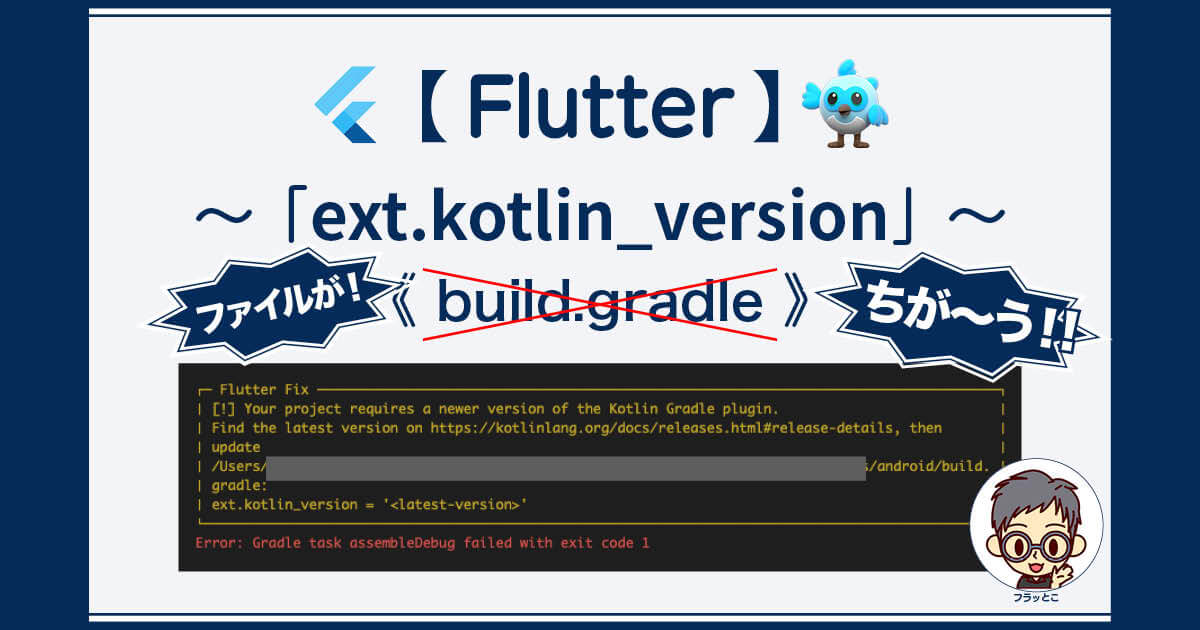
┌─ Flutter Fix ──────────────────────────────────────────────────────────────────────────────┐
│ [!] Your project requires a newer version of the Kotlin Gradle plugin.                     │
│ Find the latest version on https://kotlinlang.org/docs/releases.html#release-details, then │
│ update                                                                                     │
│ /Users/ 〜〜〜〜〜〜〜〜〜〜〜〜〜〜〜〜〜〜〜〜〜〜〜〜〜〜〜〜〜  /(プロジェクト名)/android/build.  │
│ gradle:                                                                                    │
│ ext.kotlin_version = '<latest-version>'                                                    │
└────────────────────────────────────────────────────────────────────────────────────────────┘
ネットで調べても古い情報が多かったので、2024.9.8現在の正しいファイルの備忘録です。
目次
修正するのは「settings.gradle」
修正するgradleファイルは「android/settings.gradle」です。
このファイルの中の、「id “org.jetbrains.kotlin.android” version “1.7.10” apply false」の「1.7.10」を、最新のKotlinバージョンに修正します。
plugins {
  id "dev.flutter.flutter-plugin-loader" version "1.0.0"
  id "com.android.application" version "7.3.0" apply false
  //id "org.jetbrains.kotlin.android" version "1.7.10" apply false
  id "org.jetbrains.kotlin.android" version "2.0.20" apply false
}
Kotlinの最新バージョンは、公式サイトで確認。
Kotlin公式サイト
Kotlin release process | KotlinLearn about the different types of Kotlin releases, how to update to each one, and Kotlin’s release history.









コメント